


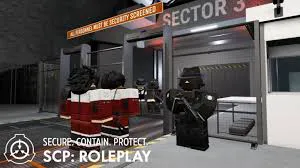
Whether you are a Class-D trying to survive a breach or an O5 Council member overseeing the facility, knowing the right SCP Roleplay commands is the difference between life and redacted. In the brutal world of Roblox's SCP: Roleplay (SCPR), mastering the command console (CMDR) isn't just a flex—it's a necessity.
In this comprehensive guide, we’ll break down the essential scp roleplay commands for every clearance level, including exclusive SCP: Roleplay private server codes to help you run your own custom operations.
Essential Commands for Every Player (Non-Admin)
Even without administrative privileges, these scp roleplay commands are vital for smooth gameplay and troubleshooting.
- !rejoin – The "Holy Grail" of fixes. Use this to instantly reconnect if your UI glitches or you're stuck in a wall.
- !gundata – Displays precise stats for your equipped firearm, including recoil patterns and DPS.
- !check – Pulls up the current server population and team balance.
- !ping – Check your latency to ensure you won't lag out during a containment breach.
Power User & Admin Commands for Private Servers
If you own a private server or have moderator perms, these SCP Roleplay commands allow you to manipulate the environment and player states. Most of these require the : prefix or the F2 console.
1. Player Management & Morphs
Customizing the roleplay experience often requires changing appearances on the fly.
- :morph [User] [Role] – Temporarily changes a player's model.
- :permmorph [User] [Role] – Sets a persistent skin that stays even after respawning.
- :team [User] [TeamName] – Forces a player to switch departments (e.g.,
:team . Nu-7). - :give [User] [ItemName] – Spawns specific gear. Pro tip: Use
:toolsto see a full list of item IDs.
2. Teleportation & Control
- :bring [User] – Summons a player to your exact coordinates.
- :to [User] – Teleports you to a specific player for observation.
- :goto [Location] – Instant travel to preset areas like the "Nuke Room" or "Class-D Cells."
3. Facility Events & SCP Spawning
Running a high-stakes breach? Use these scp roleplay commands to trigger chaos.
- :nuke – Initiates the Alpha Warhead countdown.
- :blackout [true/false] – Cuts all facility lights for maximum spookiness.
- :spawn [SCP-ID] – Summons an SCP entity. Use with caution to avoid server lag!
- :removescps – The panic button to clear all spawned entities if things get too laggy.
Advanced Logic: Targeting Shortcuts
To master SCP Roleplay commands, you must use "Target Selectors" to save time:
.(Dot) – Targets yourself.*(Asterisk) – Targets everyone on the server.**– Targets everyone except you.%[Team]– Targets a specific group (e.g.,:heal %Class-D).
Related Articles
- SCP Roleplay Codes (April 2026)
- The Ultimate SCP Roleplay Prestige Guide
- SCP Roleplay ScD Guide: Research, Testing, and Advancement